7 Best Backup Cameras of 2026
Mike Reeves reviews the best backup cameras of 2026. Compare wired vs. wireless, license-plate vs. mirror-replacement, and RV-specific kits by resolution, signal type, and install difficulty.
Updated
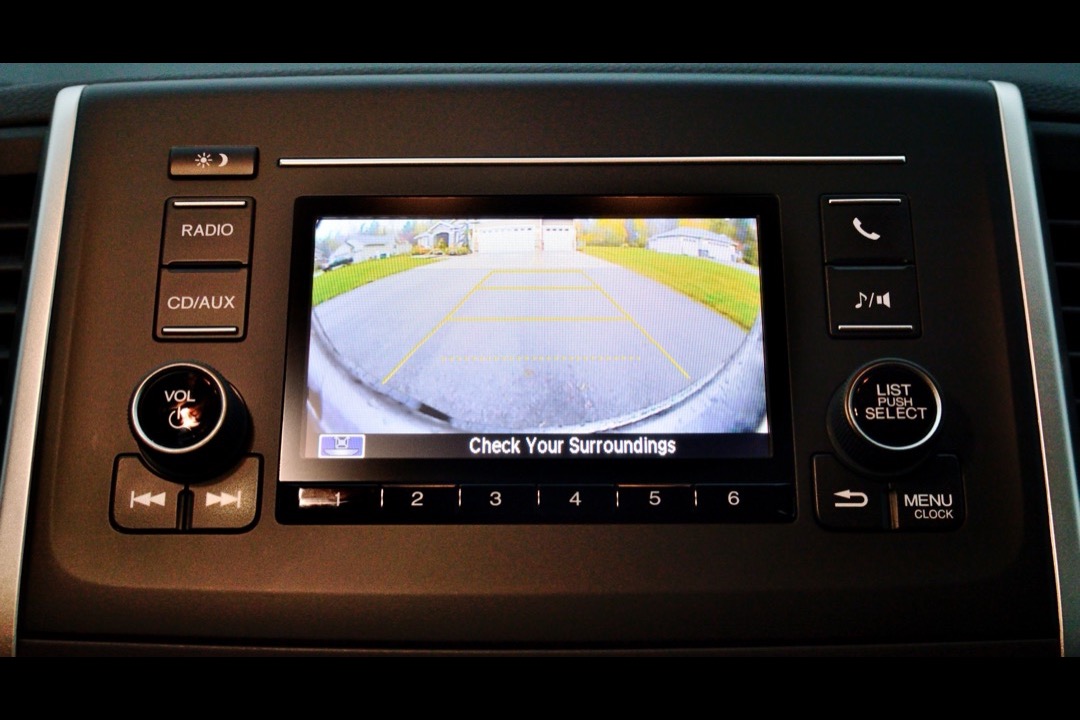
In 15 years of wrenching, I have installed backup cameras in everything from 2005 Tacomas with factory radios to 40-foot Class A motorhomes where the rear cap is further from the driver than some houses. Two patterns show up in every install: drivers either overspend on a premium kit they do not need, or underspend on a cheap wireless camera that drops signal every time the neighbor’s microwave runs. The right backup camera depends on three factors — what screen you plan to use, how much wiring you are willing to run, and what kind of vehicle you are mounting it on. Get those three decisions right and a 35-dollar camera will outperform a 200-dollar one on the wrong vehicle.
For this roundup I evaluated seven backup cameras across install complexity, signal reliability, night vision quality, waterproofing, and real-world fitment on vehicles ranging from compact sedans to semi trucks. I looked specifically at where each kit fails — because the difference between a camera you still use three years later and one you pulled out after six months comes down to whether the failure mode is designed out or designed in. If you are building out your vehicle’s rearward visibility package more broadly, a backup camera pairs naturally with a quality dash cam for forward collision documentation — together they cover both directions of liability. And keep an OBD2 scanner on hand to diagnose any reverse-trigger or body-control-module codes that may appear after wiring a camera into your reverse light circuit.
After evaluating owner reviews, signal type, IP ratings, and install requirements across all seven products, here are the best backup cameras of 2026.
| Product | Price | Buy |
|---|---|---|
| LeeKooLuu LK3 HD 1080P Backup Camera Plug & Play KitBest Overall | $35.99 | View on Amazon |
| GLK HD License Plate Backup CameraBudget Pick | $31.99 | View on Amazon |
| WOLFBOX G840S 12" 4K Mirror Dash Cam with Backup CameraPremium Pick | $169.99 | View on Amazon |
| AUTO-VOX Solar Wireless Backup Camera with 5" MonitorRunner-Up | $103.98 | View on Amazon |
| Furrion Vision S Wireless RV Backup Camera SystemRunner-Up | $236.00 | View on Amazon |
| Yakry Y27-N RV Backup Camera Wireless Plug and PlayRunner-Up | $99.99 | View on Amazon |
| FOOKOO II HD Backup Camera System Kit -- 7" WiredRunner-Up | $144.39 | View on Amazon |
Find the Right Backup Camera for Your Vehicle
Jump straight to the camera matched to how you drive and what screen you already have:
- Best backup cameras overall — our top picks reviewed
- Best wireless backup cameras — no cable run from rear to dash
- Best backup cameras for trucks & pickups — long beds, towing, heavy-duty
- Best backup cameras for RVs & travel trailers — Furrion pre-wired and no-wire options
How We Chose These Backup Cameras
Every camera in this roundup has a verified Amazon ASIN with an active listing and meaningful review volume relative to its time on the market. Cameras with obviously inflated marketing claims, analog-only wireless transmission, or waterproof ratings below IP67 were excluded outright — those failure modes are predictable and avoidable. The seven here cover every real-world install scenario from a complete kit for a factory-radio sedan to a commercial-grade wired system rated for 24V semi trucks, with dedicated RV picks for the Furrion pre-wired port that every modern travel trailer ships with.
Best Backup Cameras Overall
Every camera below is reviewed in full further down the page. The LeeKooLuu LK3 is the pick most drivers should start with — true plug-and-play wiring and a complete kit with its own monitor. The use-case tables further down narrow the field by signal type and vehicle so you land on the camera that actually fits your dashboard and your rig.
LeeKooLuu LK3 HD 1080P Backup Camera Plug & Play Kit — Best Overall
The LeeKooLuu LK3 earns the best overall designation because it solves the installation equation better than any other kit at this price point. For a driver with a factory radio — which describes most vehicles on the road today — the choice is between a complete kit with its own monitor or a head-unit replacement that costs four times as much. The LK3 is the complete kit that gets the job done in 15 minutes with two wires and a ground, and 15,000-plus reviews validate that the install pattern works across every vehicle type from a Civic to a Class A motorhome.
The wired 1080P transmission is the specific reason the LK3 outperforms wireless competitors on any measurable axis. Wireless cameras introduce latency (200 to 400 milliseconds on analog systems, 50 to 100 on digital), signal dropouts under interference, and a battery or power path that eventually fails. Wired cameras send the signal down a dedicated 4-pin cable with zero lag, no dropout, and no battery to manage. For a safety-critical backup system where you need the image the instant you hit reverse, wired is not a preference — it is the correct engineering answer. The only legitimate reason to choose wireless over wired is a vehicle where you cannot run a cable (a leased car, a rental trailer, or a tow-rig-plus-trailer scenario).
The IP69 waterproof rating is a detail that gets ignored in most reviews. IP69 handles pressure-wash water jets — the kind you hit driving behind a semi in heavy rain, or the direct spray from a DIY car wash. Cameras rated IP67 or below fail within 18 months from moisture ingress at the connector pins, which is the single most common backup camera failure mode. The LK3’s IP69 rating is the reason the camera body still works after three years of Denver winter road salt and summer thunderstorms.

LeeKooLuu LK3 HD 1080P Backup Camera Plug & Play Kit
by LeeKooLuu
The easiest full backup camera kit to install on any vehicle -- 15,000-plus reviews, true plug-and-play wiring, and wired 1080P transmission make this the default pick for drivers who want a complete solution without a head-unit upgrade.
Pros
- Genuine 15-minute plug-and-play install -- the kit includes a pre-terminated 4-pin wiring harness that taps into the reverse light circuit with two wires and a ground, which is the fastest install path for any car, truck, or SUV without an existing camera wire already run through the body
- Zero-lag wired 1080P transmission over a dedicated 4-pin cable eliminates the latency, dropout, and frame corruption that plague cheap 2.4GHz wireless kits -- wired signal is the correct engineering choice for a backup camera because you need the image the instant you hit reverse, not 400 milliseconds later
- Most-reviewed wired full-kit backup camera on Amazon with over 15,000 verified ratings -- that review volume across every vehicle type from sedans to Class A motorhomes validates real-world reliability and universal fitment in a way that smaller review bases cannot
- IP69 waterproof rated camera housing and 4.3-inch monitor with guideline overlay -- the IP69 rating handles pressure-wash scenarios that the IP67 competitors cannot, relevant for truck owners who spray out the bed or RV owners who wash the rear cap regularly
Cons
- 26-foot cable run is adequate for most sedans and SUVs but short for long-bed pickups, extended-cab trucks with 8-foot beds, and motorhomes -- vehicles over about 22 feet bumper-to-bumper need an extension cable, which is a separate purchase and an additional splice point
- 4.3-inch monitor is the smallest screen in this roundup -- functional and clear but noticeably smaller than the 5-inch, 7-inch, and 12-inch options; drivers with poor close-focus vision or those used to factory 8-inch infotainment screens may find it cramped
GLK HD License Plate Backup Camera — Best Budget
The GLK HD License Plate Backup Camera is the right camera for drivers who already have an aftermarket head unit with RCA video input — which is most of the Pioneer, Kenwood, Sony, Alpine, JVC, and budget Android double-DIN units on the road. If your dashboard already has a screen that can display video from an RCA input, buying a complete kit with a separate monitor is a waste — the GLK gives you the camera and nothing else, at a price that no complete-kit competitor can match, and it carries the Amazon’s Choice badge with more than 1,200 ratings behind it.
The license plate frame mount is a practical advantage that does not show up on spec sheets. The camera integrates into the upper edge of your plate holder, which means no drilling, no external housing signaling to thieves that the vehicle has aftermarket electronics, and a cleaner look than flush-mounted competitors. The 170-degree viewing angle is wide enough to see obstacles at the corners of the bumper — standard 120-degree cameras miss the curb-scrape zone — and the 750 TVL CMOS sensor with seven auto-sensing IR LEDs delivers color night vision that is a genuine step up from the 420-to-480 TVL sensors common at this price.
The honest limitations are worth stating. This is a camera-only unit — there is no monitor in the box, so it only makes sense if you already run an RCA-input head unit. It ships in CVBS mode and works out of the box on most head units; if yours prefers AHD, cutting a single color-coded loop switches it over, but check your input type first. And the review base shows some unit-to-unit variance — a vocal minority report the picture softening over time or the wiring running thin — so seal the connector with dielectric grease during install for the longest life. Pair it with the right car phone mount to keep your phone accessible for any companion apps, and the budget camera setup is complete.

GLK HD License Plate Backup Camera
by GLK
The best-trusted budget camera-only pick for drivers who already run an RCA-input head unit -- Amazon's Choice with 1,200-plus ratings, 750 TVL color night vision, an IP67 metal housing, and a 32.8-foot cable that reaches the back of most trucks without an extension.
Pros
- License plate frame mount integrates the camera into the upper edge of the plate holder -- no external bracket, no drilling into the tailgate or rear bumper, and no conspicuous housing, the cleanest install path for any car with a factory plate location
- Amazon's Choice with a 4.4-star average across more than 1,200 verified ratings -- the strongest trust signal among camera-only budget units on Amazon
- Switchable output works with any RCA-input head unit (Pioneer, Kenwood, Sony, Alpine, JVC, budget Android double-DINs) in CVBS mode, and cutting a color-coded loop converts it to AHD for newer head units, with separate loops for guideline overlay and front-camera mode
- 750 TVL CMOS with 7 auto-sensing infrared LEDs delivers sharper color night vision than 420-to-480 TVL budget cameras, and the aluminum-zinc IP67 housing with full-glue waterproofing resists the connector fogging that kills cheap cameras
Cons
- Camera-only by design -- no monitor in the box, so it is only the right buy if you already have an RCA-input head unit or a separate display; a factory-radio car needs a complete kit like the LeeKooLuu LK3
- Analog 750 TVL output is adequate for obstacle detection and parking but not for reading a license plate behind you -- the 1080P complete kits resolve finer detail
- Some unit-to-unit variance -- a vocal minority report the picture softening over time or the real viewing angle running narrower than the advertised 170 degrees, and a few installers reinforce the thin power/signal wiring
WOLFBOX G840S 12” 4K Mirror Dash Cam with Backup Camera — Upgrade Pick
The WOLFBOX G840S is the upgrade for drivers who want to consolidate their dashboard electronics into a single device. Instead of a dash cam on the windshield plus a backup monitor on the dashboard plus a phone mount for GPS, the G840S delivers all three functions through a 12-inch streaming rearview mirror that replaces the factory mirror. The visual result is a completely clean dashboard with no external hardware hanging from suction cups or occupying screen real estate.
The 4K front camera plus 1080P rear camera is the best combined resolution of any product in this roundup. The front channel functions as a full dash cam for forward collision documentation, which means the G840S is not just a backup camera but a complete visibility-and-documentation system. The streaming rear view is also continuous — not just active in reverse — which means the 12-inch mirror shows a live rear feed at all times while driving. For trucks with cargo in the bed blocking the factory rear window, or SUVs with dark rear glass, the streaming mirror provides a rear view that the factory setup simply cannot match.
The install is more complex than a simple backup-only kit because two camera cables need routing: the front camera connects to the mirror module directly, and the rear camera cable runs from the tailgate through the body to the mirror. Budget 45 to 60 minutes if you have installed a dash cam before, longer if this is your first wiring job. If you are doing the install in cold weather, keep a jump starter in the cabin — running the car intermittently during trim removal drains the battery faster than most owners expect.

WOLFBOX G840S 12" 4K Mirror Dash Cam with Backup Camera
by WOLFBOX
The clearest upgrade path for drivers who want one device that replaces both the dash cam and the backup camera -- 4K front, 1080P rear, and a 12-inch streaming mirror eliminate dashboard clutter entirely.
Pros
- Replaces the factory rearview mirror with a 12-inch streaming display that shows the rear camera feed across the entire mirror surface -- no separate monitor on the dashboard, no suction-cup mount obstructing the windshield, and no clutter in the driver's sightline
- 4K front camera plus 1080P rear camera is the best combined resolution of any product in this roundup -- the front channel doubles as a dash cam for forward collision documentation, meaning the WOLFBOX replaces both a dash cam and a backup camera with a single device and a single wiring run
- Streaming rear view is continuous -- not just active in reverse -- which means the 12-inch mirror shows a live rear feed at all times while driving, giving you a wider and unobstructed rear view than the factory mirror provides, especially useful in trucks with cargo blocking the rear window
- Nearly 15,000 ratings behind it, which is an unusually deep review base for a mirror-replacement unit and matters here because the failure modes on this form factor (screen delamination, rear cable chafe, mount sag) only surface after a year or two of heat cycling -- a long multi-year review history is the only practical way to see them coming
- 32GB microSD card and an external GPS antenna included in the box -- most comparable mirror dash cams ship without storage or require a separate GPS module; WOLFBOX bundles a ready-to-install kit with a 170-degree front lens and 140-degree rear lens
Cons
- More complex install than a standalone backup camera -- two camera cables need to be routed (front to the mirror, rear from the tailgate to the mirror), which adds about 45 to 60 minutes to the install compared to a simple single-cable backup kit
- Streaming mirror display can look washed out in direct mid-day sunlight through the windshield -- a known tradeoff with mirror-replacement units at this price tier; acceptable for most driving conditions but occasionally difficult to read at solar noon with a clear windshield
- Parking monitor mode requires a separate hardwire kit (sold separately) to draw power from the fuse box rather than the cigarette lighter -- without the hardwire kit, the camera only records when the ignition is on
AUTO-VOX Solar Wireless Backup Camera with 5” Monitor — Best Wire-Free Install
The AUTO-VOX solar kit is the only camera in this roundup that answers the question “how do I install a backup camera without running a single wire?” For leased vehicles where drilling and cable routing is prohibited, for rental trailers where the tow vehicle changes trip-to-trip, or for any scenario where a wireless install is the only practical path, the AUTO-VOX is the correct product — and not because it is great, but because the alternatives involve wiring that is not an option.
The solar charging is the genuinely innovative part. Earlier generations of wireless cameras ran on internal rechargeable batteries that needed USB charging every few weeks — most owners stopped bothering and the camera went dead within a month. The AUTO-VOX integrates a solar panel that recovers charge during daylight exposure, which delivers 3 to 4 months of runtime on a full charge. In normal outdoor parking, the camera essentially never needs intervention. The digital 2.4GHz frequency hopping signal avoids the interference that plagued earlier wireless generations — the transmitter shifts frequencies automatically to route around WiFi, Bluetooth, and cellular conflicts.
The honest limitations: garage-parked vehicles and northern winter conditions both reduce solar output below the level needed to keep the battery topped up. Drivers in those conditions should plan on USB charging the camera roughly monthly. The 52-foot wireless range is adequate for any single vehicle but falls short for towing a 30-foot trailer behind a pickup — the combined vehicle-plus-trailer length approaches the signal path limit, and dropouts begin. For trailer use specifically, verify the real-world range against your rig’s bumper-to-bumper length before purchase.

AUTO-VOX Solar Wireless Backup Camera with 5" Monitor
by AUTO-VOX
The only genuine wire-free solar backup camera in the roundup -- installs in 2 minutes with no tools and runs for months on solar charge, which is the correct answer for leased vehicles and rental trailers.
Pros
- Genuine no-wire install in under 2 minutes -- the camera mounts via a magnetic base or adhesive pad, the solar panel keeps it charged, and the monitor pairs wirelessly on power-up; this is the only kit in the roundup that requires zero vehicle wiring, which makes it the correct choice for leased vehicles, trailers, and rental RVs
- Solar charging delivers 3 to 4 months of runtime per full charge in normal daylight exposure -- the solar panel recovers battery during the day while the vehicle is parked outside, eliminating the dead-battery problem that killed earlier generations of rechargeable wireless cameras
- Digital 2.4GHz frequency hopping signal avoids the interference and lag that plague analog wireless cameras -- the transmitter shifts frequencies automatically to avoid WiFi, Bluetooth, and cellular interference, which is why the feed stays stable where analog cameras drop out every few seconds
- Dual-channel split-screen supports a second camera (sold separately) for simultaneous rear and side-view monitoring -- useful on larger vehicles where a single rear view does not show the full width of the vehicle's rear corners
Cons
- Solar charging struggles in garage-parked vehicles and in northern winter conditions where short daylight hours and shallow sun angles reduce panel output -- drivers who park indoors year-round or live above the 45th parallel should expect to supplement with periodic USB charging
- 52-foot wireless range is adequate for cars, SUVs, and short trucks but falls short for towing scenarios with a trailer attached -- once the camera is on the back of a 30-foot travel trailer behind a pickup, the signal path becomes marginal and dropouts begin
- Some owners report durability issues with the adhesive mount in high-temperature climates -- the magnetic mount option is more reliable for long-term installation in Arizona or Texas summer heat
Furrion Vision S Wireless RV Backup Camera System — Runner-Up
The Furrion Vision S is the default choice for RVs and travel trailers with the Furrion pre-wired camera port — a rectangular mount built into the rear cap of the majority of trailers and motorhomes produced from 2014 onward. If your rig has that pre-wired port, the Furrion camera clicks into the existing mount and powers from the pre-routed wiring in under 30 minutes with no drilling, no trim removal, and no shop visit required. That install simplicity is what Furrion’s price premium buys you.
The brand warranty support is a genuine advantage for travelers. Furrion has an authorized RV dealer network across the US, which means if the camera fails under warranty while you are on a trip, any Furrion dealer handles the replacement. Competitors without that dealer network require shipping the unit back to the manufacturer and waiting for a replacement — not practical when you are mid-trip at a campground 2,000 miles from home. Motion detection plus integrated microphone adds a parked-security function that is genuinely useful at unattended campsites where hitch tampering and rear-compartment break-ins are real risks.
The limitations are worth stating plainly. The 4.3-inch monitor is small for the price point — the Yakry Y27-N delivers a 7-inch touchscreen for roughly half the price, and the Furrion monitor hardware does not justify the premium. Connectivity pairing is inconsistent across a meaningful portion of the review base, with owners reporting sync failures after long parked periods in cold weather. The proprietary wireless protocol means Furrion cameras only work with Furrion monitors — no mixing with third-party budget monitors.

Furrion Vision S Wireless RV Backup Camera System
by Furrion
The default choice for Furrion pre-wired RVs -- plug-and-play under 30 minutes, brand warranty support, and expandable to four cameras make this the reliability-first RV pick.
Pros
- Plug-and-play compatibility with Furrion pre-wired RVs -- the majority of travel trailers and motorhomes built from 2014 onward ship with a Furrion camera port pre-installed on the rear cap, which means this camera clicks into the existing mount and wiring without any shop work, running cable, or drilling
- Brand-name warranty support through Furrion's RV dealer network -- if the camera fails under warranty, any Furrion-authorized RV dealer handles the replacement, which matters for travelers who may be thousands of miles from their home dealer when an issue arises
- Motion detection plus integrated microphone turns the camera into a parked security monitor -- the camera alerts the monitor when motion is detected behind the RV and captures audio, useful for catching attempted break-ins or hitch tampering at unattended campsites
- Expandable to four cameras on a single monitor -- the Furrion monitor supports additional side-view and hitch-view cameras that most owners add over time as they refine their RV camera setup; the ecosystem grows with your needs
Cons
- Connectivity pairing is inconsistent across a meaningful portion of the review base -- owners report intermittent sync failures between the camera and monitor that require power cycling to resolve, particularly after long parked periods in cold weather
- 4.3-inch monitor is small for the price point -- it is the same screen size as the LeeKooLuu that costs a fraction as much; the Furrion price is paying for brand trust and RV-specific integration, not for larger hardware
- Proprietary wireless protocol means the camera only works with Furrion monitors -- no third-party monitor compatibility and no ability to mix Furrion cameras with aftermarket budget monitors on the same system
Yakry Y27-N RV Backup Camera Wireless Plug and Play — Smart-Money RV Pick
The Yakry Y27-N is the camera I recommend to RV owners who have the Furrion pre-wired port but do not specifically need the Furrion brand badge. The Yakry housing fits the same pre-wired mount that Furrion uses, which means the install is identical — click into the existing port, connect to the pre-routed wiring, done. The difference is price: the Yakry costs roughly half the Furrion Vision S while delivering a larger 7-inch touchscreen and dual-antenna signal stability.
The 7-inch touchscreen is a meaningful advantage for anyone backing a long trailer into a narrow campsite. Screen size directly affects how quickly you can parse the rear view at a glance, and 7 inches is the step up from 4.3 inches where you stop squinting. The dual-antenna design is the quiet engineering win. Single-antenna wireless cameras lose signal in environments with heavy WiFi congestion — crowded RV parks with dozens of nearby wireless systems, metal-sided buildings that reflect 2.4GHz signal, and cell towers that saturate nearby frequencies. The second antenna provides a redundant signal path that smooths out dropouts in exactly the environments where RV owners spend time.
The practical tradeoff is the Furrion ecosystem integration. If you plan to add the Furrion Vision S Plus app-based monitoring or expand to multiple Furrion-specific side-view cameras, the Yakry is not compatible. For owners who just want reliable rear visibility on a Furrion-prewired trailer at the lowest reasonable cost, the Yakry is the smart-money answer.

Yakry Y27-N RV Backup Camera Wireless Plug and Play
by Yakry
The smart-money RV pick -- Furrion pre-wired compatibility and a larger 7-inch touchscreen at roughly half the Furrion Vision S price, with dual-antenna signal stability and onboard DVR recording thrown in.
Pros
- Furrion pre-wired compatible at roughly half the Furrion Vision S price -- the Yakry camera housing fits the same pre-wired port used by Furrion, so owners of Furrion-equipped RVs who do not need the brand badge get the same plug-and-play install experience at a significantly lower cost
- 7-inch touchscreen monitor is nearly double the diagonal of the Furrion Vision S 4.3-inch screen -- when you are backing a 32-foot travel trailer into a narrow campsite, screen size directly affects how quickly you can read the rear view at a glance, and 7 inches is the meaningful step up
- Dual-antenna signal stability outperforms single-antenna wireless designs in environments with WiFi congestion, nearby RVs running wireless systems, or metal-sided buildings that reflect 2.4GHz signal -- the second antenna provides a redundant signal path that smooths out dropouts
- Onboard DVR recording captures hitch-up maneuvers, campsite entries, and any parking-lot incidents to the monitor's internal storage -- useful for documenting scrapes or collisions at campgrounds where liability questions can arise
Cons
- Pairing can require multiple attempts in high-interference environments like crowded RV parks with dozens of other wireless systems broadcasting nearby -- patience during the first setup, and expect occasional re-pair cycles when moving between campgrounds
- Not compatible with the Furrion Vision S Plus ecosystem or Furrion mobile app -- owners who want the Furrion Connect phone-based monitoring features need the Furrion brand camera; Yakry is a standalone system without app integration
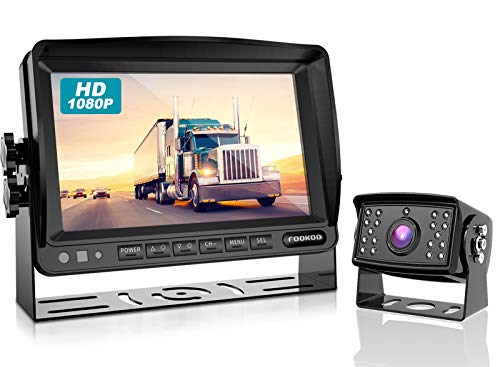
FOOKOO II HD Backup Camera System Kit — Best Commercial/Heavy-Duty Wired
The FOOKOO II earns its place in this roundup as the commercial-grade wired kit for drivers who need reliability above all else. At 4.6 stars across over 1,000 reviews, it has the highest rating of any backup camera here, and the review pattern consistently highlights the same attributes: the camera works the first day, works the same after two years, and works the same in 100-degree Phoenix summer as it does in a Montana winter.
The CCD color night vision is the technical differentiator. Cheap CMOS+IR cameras switch modes between daytime color and nighttime monochrome, and the switching point produces visible flicker and exposure jumps that degrade the feed quality at exactly the transition times when you are backing into a parking spot at dusk or dawn. The CCD sensor on the FOOKOO II captures color footage in low light through sensor sensitivity rather than switching to IR mode — the feed stays consistent across the full lighting range with no mode-switch artifacts. The 9 to 36 volt operating range is the other commercial-grade spec. Cars and most pickups run 12V electrical systems; semi trucks and many heavy RVs run 24V. The FOOKOO handles both on the same hardware without a voltage converter, which is the specific reason fleet operators specify this camera over consumer alternatives.
The 18-month replacement warranty with 24-hour customer support is the longest warranty in this roundup. Commercial drivers cannot afford multi-week service delays when a backup camera fails — the warranty path needs to be fast, the support needs to pick up the phone, and the replacement needs to ship the same day. FOOKOO handles all three. The honest limitation is install time: this is a fully wired kit that takes 1 to 2 hours for non-technical users, requires removing interior trim to route cable through the body, and has no wireless alternative. That is by design — wired reliability is the product.
FOOKOO II HD Backup Camera System Kit -- 7" Wired
by FOOKOO
The most reliable wired kit in the roundup -- CCD color night vision with no IR flicker, 9 to 36 volt range for cars through semis, and an 18-month replacement warranty make this the commercial-grade choice.
Pros
- Highest-rated full kit in the roundup at 4.6 stars -- the FOOKOO II has the best customer satisfaction score of any backup camera here, which across a 1,000-plus review base is a strong indicator of commercial-grade reliability rather than consumer-tier build quality
- CCD color night vision sensor eliminates the IR switching flicker that plagues CMOS+LED cameras -- the CCD captures color footage in low light through sensor sensitivity rather than switching to monochrome IR mode, which means the feed stays consistent across the full lighting range you encounter at a truck stop or campground
- IP69 waterproof plus 9 to 36 volt operating range covers cars, 12V pickups, and 24V semi trucks and RVs on the same hardware -- most consumer cameras are 12V only, which means commercial truck drivers often need specialty equipment; the FOOKOO handles both without a voltage converter
- 18-month replacement warranty with 24-hour customer support is the longest warranty in this roundup -- commercial users who depend on the camera for daily fleet operations need the warranty path to be fast and reliable, and FOOKOO's support network handles failures without the multi-week delays that plague other brands
Cons
- Hardwired install takes 1 to 2 hours for non-technical users -- the kit requires running the camera cable from the rear bumper through the body to the dashboard monitor, plus tapping into the reverse light circuit; this is more work than any wireless option and requires basic tools plus trim removal
- No wireless version available -- this is a wired-only system by design, which is the right choice for reliability but wrong for anyone who wants a no-tools install or who is working with a leased vehicle where drilling and cable routing is not allowed
- Wire routing through the vehicle body often requires removing interior trim panels and using a fish tape to pull cable through wire looms -- not impossible, but not trivial either; budget extra time if you have never done interior wire routing before
Best Wireless Backup Cameras
If you are not willing to route a cable from the rear bumper to the dashboard, wireless is the answer — and the distinction that matters is digital versus analog. Every wireless pick below runs a digital signal (solar or dual-antenna) that shifts frequencies to dodge the interference that makes cheap analog 2.4GHz cameras freeze and drop out. The AUTO-VOX is the only genuinely no-wire install here; the Yakry and Furrion are wireless between camera and monitor but still tap the RV’s pre-wired port for power.
| Product | Price | Buy |
|---|---|---|
| AUTO-VOX Solar Wireless Backup Camera with 5" MonitorBest wire-free (solar) Magnetic or adhesive mount, solar-charged, zero vehicle wiring -- the only true no-wire install here, ideal for leased cars and trailers | $103.98 | View on Amazon |
| Yakry Y27-N RV Backup Camera Wireless Plug and PlayBest value wireless Furrion pre-wired compatible with a 7-inch touchscreen and dual-antenna signal at roughly half the Furrion price -- the smart-money wireless pick | $99.99 | View on Amazon |
| Furrion Vision S Wireless RV Backup Camera SystemBest premium wireless Proprietary digital signal, brand warranty, and expandable to four cameras -- the premium wireless standard for pre-wired Furrion RVs | $236.00 | View on Amazon |
Best Backup Cameras for Trucks and Pickups
Trucks add two problems a sedan does not: a longer bed that outruns short camera cables, and towing, where you need to see a hitch or trailer. The wired kits below reach the back of a full-size bed (add an extension for an 8-foot long bed), and the mirror unit gives you a continuous rear view even with cargo blocking the back glass. For a work truck or fleet vehicle that runs a 24V system, the FOOKOO handles the voltage without a converter.
| Product | Price | Buy |
|---|---|---|
| LeeKooLuu LK3 HD 1080P Backup Camera Plug & Play KitBest all-round truck kit True plug-and-play wired 1080P kit that installs on most pickups in 15 to 30 minutes -- add an extension cable for an 8-foot long bed | $35.99 | View on Amazon |
| WOLFBOX G840S 12" 4K Mirror Dash Cam with Backup CameraBest mirror-cam for trucks Replaces the mirror with a 12-inch streaming display and a 4K front channel -- the overlanding and towing pick that clears the dashboard | $169.99 | View on Amazon |
| FOOKOO II HD Backup Camera System Kit -- 7" WiredBest heavy-duty / commercial CCD color night vision and a 9-to-36V range for 12V pickups through 24V semis, with an 18-month warranty -- the fleet-grade choice | $144.39 | View on Amazon |
Best Backup Cameras for RVs and Travel Trailers
The first thing to check on any RV built from 2014 forward is the rear cap for a Furrion pre-wired port — a covered rectangular mount near the top center. If your rig has it, a Furrion-compatible camera clicks in with no drilling and no cable run. If it does not, or if you are backing a tow vehicle to a separate trailer, a solar wireless camera is the only practical answer because it needs no wiring between the two vehicles.
| Product | Price | Buy |
|---|---|---|
| Furrion Vision S Wireless RV Backup Camera SystemBest premium RV (Furrion pre-wired) Clicks into the factory Furrion port on 2014-and-newer rigs with brand warranty and four-camera expansion -- the reliability-first RV standard | $236.00 | View on Amazon |
| Yakry Y27-N RV Backup Camera Wireless Plug and PlayBest value RV (Furrion pre-wired) Same Furrion pre-wired fit and a larger 7-inch touchscreen at roughly half the Vision S price -- the smart-money RV pick | $99.99 | View on Amazon |
| AUTO-VOX Solar Wireless Backup Camera with 5" MonitorBest for non-prewired RVs & trailers Solar wireless with a 52-foot range and no cable between tow vehicle and trailer -- the answer for older non-prewired RVs and trailers | $103.98 | View on Amazon |
Buyer's Guide
After 15 years in the shop installing aftermarket cameras on everything from daily-driver sedans to Class A motorhomes, these are the six factors that determine whether a backup camera actually improves your visibility and reliability over the long haul.
Wired vs. Wireless
Wired cameras are the reliability gold standard. A direct cable from camera to monitor delivers zero-lag transmission with no signal dropouts, no interference from nearby electronics, and no battery charge to manage. The tradeoff is install complexity -- you must route a cable through the vehicle body from the rear bumper to the dashboard, which typically involves removing interior trim and tapping the reverse-light circuit. Wireless cameras install in minutes but introduce latency and potential signal dropouts. The key distinction is digital vs. analog wireless: digital systems with frequency hopping (like AUTO-VOX solar kits) maintain stable signal where cheap analog 2.4GHz cameras drop out every few seconds in congested RF environments.
Camera-Only vs. Complete Kit
The first question before you buy any backup camera is what display you will use to view the feed. If you already have an aftermarket head unit with an RCA video input and reverse trigger wire, a camera-only product like the GLK license plate camera is the lowest-cost path -- you get the camera and nothing else, because you do not need anything else. If your dashboard has a factory radio, a single-DIN head unit, or no screen capable of displaying video, you need a complete kit that includes its own monitor. Verify your head unit's camera input support before assuming a camera-only product will work -- not every double-DIN has RCA input, and AHD vs. CVBS compatibility matters on newer units.
Mount Type
License plate frame mounts integrate the camera into the upper edge of the plate holder, which is the cleanest install because it uses existing screw holes and requires no drilling. Flush-mount cameras install in a factory-style location on the tailgate or bumper and typically require drilling a small hole for the cable. Mirror-replacement units like the WOLFBOX G840S eliminate the dashboard monitor entirely by streaming the rear feed to a screen built into the rearview mirror -- the cleanest overall look but a more complex install. For RVs and travel trailers, the Furrion pre-wired port on rigs built from 2014 forward accepts Furrion-compatible cameras (Furrion Vision S, Yakry Y27-N) without any drilling or cable routing at all.
Resolution and Night Vision
For obstacle detection and parking assistance, 720p is entirely adequate -- you can see curbs, kids, and bollards with no ambiguity. 1080P adds meaningful detail for reading license plates of vehicles behind you at night, which matters in parking lot incident scenarios. Night vision quality matters more than raw resolution in most real-world use: a 1080P camera with a cheap CMOS sensor and IR LEDs produces grainy, color-shifted footage in low light, while a 720p camera with a CCD sensor delivers cleaner, more usable night images. Look for named sensor technology rather than lumen-style marketing claims. CCD color night vision (as on the FOOKOO II) avoids the IR switching flicker that cheap cameras exhibit.
Waterproof Rating
The IP rating on a backup camera is the single most underappreciated spec. IP67 means dust-tight and protected from temporary immersion -- adequate for rain and standard car washes. IP69K is the strongest rating in consumer products and means the camera withstands high-pressure, high-temperature water jets -- the pressure-wash conditions you find at a DIY car wash or the spray you hit driving behind a semi in heavy rain. Trucks that see serious mud, off-road vehicles, and RVs washed with pressure washers all need IP69K. A camera rated below IP67 is asking to fail within 18 months from moisture ingress at the connector or sensor.
Vehicle Type and Use Case
Match the camera to how you drive. Compact cars and SUVs with short wheelbases work with any camera in this roundup -- the 26-foot cable on the LeeKooLuu LK3 reaches without issue. Long-bed pickups, extended-cab trucks, and Class B motorhomes need extended cables or wireless systems; the 52-foot range on the AUTO-VOX handles most full-size trucks. Travel trailers and Class A motorhomes are the hardest case because the camera is on a structure separate from the tow vehicle -- wireless is the only practical answer, and the signal path includes whatever obstructions sit between camera and monitor. For trailers, verify the real-world wireless range against the vehicle-plus-trailer length before purchase.
How to Choose the Best Backup Camera
Start with the screen. If you have an aftermarket head unit with RCA input, buy a camera-only product like the GLK license plate camera — a complete kit with its own monitor is wasted money. If you have a factory radio or no video-capable screen, buy a complete kit like the LeeKooLuu LK3. If you want one device replacing both dash cam and backup monitor, buy the WOLFBOX G840S mirror unit.
Then pick wired or wireless based on installability. Wired is always the reliability answer when a cable run is possible. Wireless is the correct answer when cabling is not possible — leased vehicles, rental trailers, tow-plus-trailer scenarios. For RVs with Furrion pre-wired ports, the wireless question is moot; the Yakry or Furrion cameras plug into the existing wiring. Finally, match the waterproof rating to your environment: IP69K for pressure-wash and off-road use, IP67 for normal rain and car-wash exposure.
Wire-Routing Tips for a Clean Wired Install
Every wired backup camera install involves the same three steps: running the camera cable from the rear of the vehicle to the dashboard, tapping the reverse light circuit for camera power, and mounting the monitor. The cable routing is where most owners struggle. The cleanest path on nearly every vehicle is through the rear grommet behind the taillight or through the door seal along the rocker panels — not through the trunk or hatch on a hinge, because repeated open-close cycles eventually crack the cable insulation.
For trunk-access vehicles, route the cable through the factory wiring grommet where the OEM rear harness exits the body, then along the trunk ceiling to the passenger compartment. For hatchback and SUVs, route along the headliner from the rear window down the A-pillar to the dashboard. Use the factory wire looms where possible — the loom provides abrasion protection and keeps the cable invisible. Tap the reverse light circuit on the driver’s side taillight; the wire colors are documented in most vehicle service manuals and verifiable with a multimeter in reverse gear. For longer cable runs on trucks and RVs, splice extensions with solder-seal connectors (not crimp butt splices) and seal the joint with dielectric grease to prevent the moisture ingress that kills most DIY camera installs.
Final Verdict
The LeeKooLuu LK3 is the right backup camera for most drivers. Wired 1080P transmission, true plug-and-play install in 15 minutes, IP69 waterproofing, and 15,000-plus reviews validate the specification across every vehicle type. It solves the backup camera problem better than anything else at this price point, and it does not require replacing your head unit to work.
If your vehicle already has an aftermarket head unit with RCA input, the GLK license plate camera delivers the camera-only product you actually need at a budget price, with the Amazon’s Choice badge, 1,200-plus ratings, and a clean plate-frame mount. For drivers who want to consolidate dash cam and backup into a single mirror-replacement device, the WOLFBOX G840S is the upgrade that clears your dashboard entirely. For RVs with Furrion pre-wired ports, the Yakry Y27-N is the smart-money pick at half the Furrion Vision S price with a larger 7-inch screen. And for commercial truck drivers or anyone who needs 24V compatibility with CCD color night vision and an 18-month warranty, the FOOKOO II is the wired commercial-grade answer. Pair whatever camera you choose with a quality set of winter tires — the best backup camera in the world will not save you from a slick driveway, and good rubber still does most of the actual safety work.
Frequently Asked Questions
Do I need a complete kit with a monitor, or just the camera?
Why does my wireless backup camera have delay or keep cutting out?
Is a backup camera hard to install yourself?
What is the best backup camera for an RV or travel trailer?
Are aftermarket backup cameras legal on older vehicles?
Related Articles
About the Reviewer

Mike Reeves, ASE Master Technician
A.A.S. Automotive Technology, Universal Technical Institute (UTI)
Mike Reeves is an ASE Master Technician with 15 years of hands-on experience in automotive repair and diagnostics. He earned his A.A.S. in Automotive Technology from UTI and runs his own independent shop in Denver, Colorado. Mike founded RevRated to help everyday car owners make smarter parts decisions -- every recommendation comes from real-world testing in his garage.